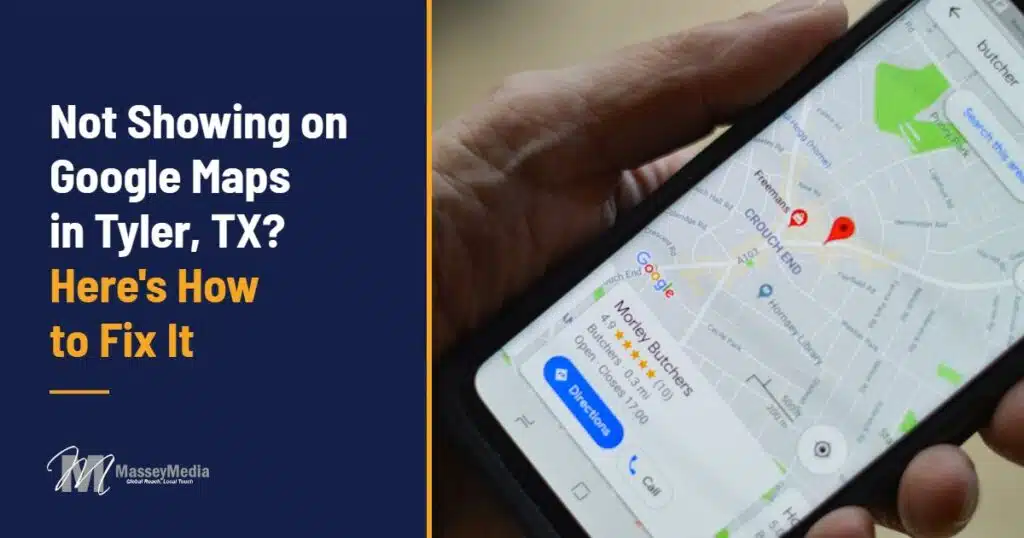
If your business is not showing on Google Maps in Tyler, you are losing calls to whoever is. When someone on South Broadway types “plumber near me” or “dentist in Tyler,” Google shows three businesses in the map pack, and most people pick one of those three without scrolling. If you are not in that box, you might as well not exist for that search.
The good news: there is almost always a specific reason, and most of them can be fixed. Here are the seven we find most often when a Tyler business owner calls us asking why they can’t find themselves on Google Maps in Tyler.
How Google Decides Who Shows Up on Google Maps in Tyler
Google is pretty open about this. According to its own guide to improving your local ranking, map results come down to three things:
- Relevance: how well your Business Profile matches what the person searched for.
- Distance: how far your business is from the person searching.
- Prominence: how well known you are, based on reviews, links, and how often you are mentioned around the web.
You can’t move your shop closer to every customer in Smith County. You can control relevance and prominence, and that is where every fix below comes in.
7 Reasons Your Business Is Not Showing on Google Maps in Tyler
1. Your Google Business Profile isn’t verified, or it got suspended
An unverified profile barely shows up. A suspended one doesn’t show up at all. Log in to your Google Business Profile and look for a verification prompt or a warning banner. Suspensions usually come from a mismatch Google doesn’t like: a virtual office address, a name stuffed with keywords, or a change Google wants to re-check. Fix the cause before you request reinstatement, or it will happen again.
2. You picked the wrong primary category
The primary category carries more weight than almost anything else on your profile. A roofing company listed as “Contractor” or a med spa listed as “Beauty salon” is telling Google it does something different from what customers are searching for. Pick the most specific category that fits your main service, then add secondary categories for the rest.
3. Your service area is set up wrong
Plenty of Tyler businesses work out of a truck or a home office and hide their address, which is the right call. But then they set a service area of “Texas” or list 40 towns. Google ranks service-area businesses mostly near where they are based, so a tight, honest service area (Tyler, Whitehouse, Lindale, Bullard, Flint) works better than a giant one.
4. Your name, address, and phone don’t match across the web
Google checks your profile against Yelp, the BBB, Facebook, Apple Maps, Bing, and dozens of directories. If one says “Suite 200,” another lists an old phone number, and a third still has the address you left in 2019, Google gets less sure you are who you say you are. Pick one exact version of your name, address, and phone number and make every listing match it.
5. You don’t have enough reviews, or they stopped coming in
Reviews are the biggest part of prominence you control. A competitor with 140 reviews and a new one every week will outrank a business with 12 reviews from three years ago. Ask every happy customer, make it one tap with a direct review link, and reply to every review, good or bad. Google says plainly that replying to reviews helps.
6. Your website doesn’t back up your Tyler profile
Your profile links to your website, and Google reads both. If your homepage never mentions Tyler, has no service pages, and loads slowly on a phone, you are leaving relevance on the table. A page built for your Tyler customers, with your services, the neighborhoods you serve, and real photos, tells Google the profile and the website agree. That is a big part of how we approach web design and SEO in Tyler.
7. Your profile looks abandoned
Wrong holiday hours, five-year-old photos, no posts, unanswered questions. None of it gets you removed from Google Maps, but all of it makes you less likely to show up and less likely to get the call when you do. Add new photos every month, post updates, keep hours current, and answer the questions people ask on your profile.
How to Show Up on Google Maps in Tyler This Week
If you want to start on your own, here is the order we would work in:
- Confirm the profile is verified and has no warnings.
- Set the most specific primary category, then add accurate secondary ones.
- Tighten your service area to the towns you actually serve.
- Write down your exact name, address, and phone, and fix the top 10 directories to match.
- Send a review link to your last 20 happy customers and reply to every review you have.
- Add 10 real photos and one post.
- Make sure your website has a page that talks to Tyler customers about the services on your profile.
Most of these take an afternoon. The hard part is doing it every month, because your competitors in Tyler are adding reviews and posts every month too.
Why Ranking on Google Maps in Tyler Takes Ongoing Work
Tyler is a bigger, more competitive market than most of East Texas, and plenty of businesses here already pay someone to manage their profile. A one-time cleanup will move you up, but the map pack keeps shifting as competitors add reviews and content. That is why we treat local SEO as ongoing work, not a project you finish.
Our local SEO plans start at $500 a month and cover your Google Business Profile, citations, reviews, content, and a monthly report that shows where you rank across Tyler and what changed. For one Lufkin client, that work moved their average map rank from 12.8 to 6.7 and put them at #1 for one of their core searches.
Get a Free Google Maps Check for Your Tyler Business
If your business is not showing on Google Maps in Tyler and you would rather have someone find the reason for you, we will look at your profile, your listings, and your website and tell you exactly what is holding you back. No pressure, no long pitch. Book a free consultation or call us at (936) 225-4705.
Why is my business not showing up on Google Maps in Tyler?
The most common reasons are an unverified or suspended Google Business Profile, the wrong primary category, a service area that is too broad, name, address, and phone details that don't match across directories, and too few recent reviews. Google ranks map results on relevance, distance, and prominence, so fixing those raises the first and third.
How long does it take to show up on Google Maps after fixing my profile?
Fixes like verification, categories, and hours can show up within a few days to a few weeks. Moving up in the Tyler map pack against established competitors usually takes three to six months of steady reviews, citations, and content.
Can a service-area business with no storefront rank on Google Maps in Tyler?
Yes. You can hide your address and set a service area. Google still ranks you mostly near where you are based, so keep the service area to the towns you really serve, such as Tyler, Whitehouse, Lindale, and Bullard.
Do I need a website to rank in the Tyler map pack?
You can show up without one, but a website that mentions Tyler and matches the services on your Google Business Profile makes your profile more relevant and gives customers a reason to call you instead of the next listing.
How much does Google Business Profile management cost in Tyler, TX?
MasseyMedia's local SEO plans start at $500 a month. That covers your Google Business Profile, citations, review strategy, content, and a monthly ranking report. We scope the plan after a free consultation based on how competitive your category is in Tyler.
Matt Massey
Matt Massey is the owner and lead developer at MasseyMedia. Matt earned a Bachelor’s in Business Management and another in Marketing from the University of Utah. Matt started MasseyMedia during college to pursue his college degree and has been growing the company for over 25+ years.
As a seasoned IT executive, I have spearheaded numerous transformative projects that have streamlined operations, enhanced organizational capabilities, and driven sustainable growth. My expertise spans designing and implementing robust web-based information systems, managing comprehensive IT functions, and leading diverse teams to deliver projects that exceed expectations.
At MasseyMedia, Inc., I have been the driving force behind over 400 successful website launches and numerous IT development projects. My approach integrates strategic planning with hands-on leadership to diversify product offerings and expand business horizons. From introducing advanced hosting solutions to integrating cutting-edge network infrastructure, my focus has always been on leveraging technology to solve complex business challenges.
My career is defined by a passion for technology, a commitment to excellence, and a relentless pursuit of innovative solutions that drive efficiency and competitiveness. I am eager to connect with like-minded professionals and organizations looking for a leader to transform their IT landscapes and guide them through the complexities of modern technology.